


Peech
2.7190.00 Reviews
App Specs
- Version
- 3.1.0
- Updated On
- License
- Free
- Downloads
- 50,000+
- Developer
- Peech
- Categories
- Productivity
- Platform
- Android
Screenshots


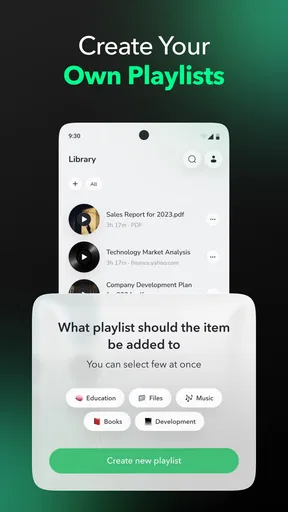
 Analysis by AppCompare
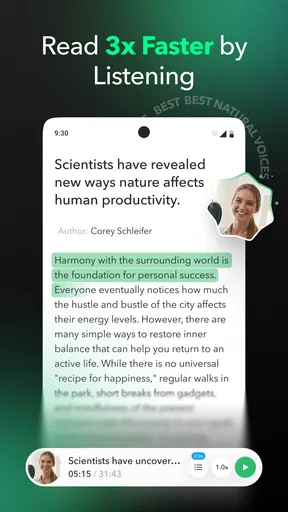
I installed Peech expecting a simple way to turn reading into listening, and that is still the clearest way to understand it. This free productivity app from Peech is aimed at people who have more written material than time to sit down with it: books, articles, emails, PDFs, and documents can all become part of an audio-based routine. I found the idea useful because it changes when I consume information rather than pretending it will create more hours in the day.
The important distinction is that Peech is not a complete knowledge-management system. It does not replace a notes app, a reading library, or careful study. Its value appears when I already have text waiting for me and need another way to get through it. A commute, a walk, housework, or a quiet stretch away from a screen can become reading time, provided I choose the material carefully and accept that listening is not identical to reading.
Turning a neglected reading queue into a workable routine
I find the hardest part of a reading backlog is not saving material but deciding what deserves attention before it gets buried. In this section, I look at how Peech can turn that pile into a listening routine without making it larger, and why choosing a small, purposeful queue matters more than sending everything to audio.
What my workflow looked like before using it
Before trying Peech, my reading backlog was divided between browser tabs, email messages, downloaded files, and documents I had saved with good intentions. That arrangement created a familiar problem: I could find almost everything, but I rarely had the right context or enough uninterrupted screen time to read it. Saving more material only made the queue feel heavier.
The app makes sense as a middle step between collecting and finishing. Instead of asking myself when I would sit down and read a long item, I could decide whether it was suitable for listening. That small change matters. A short opinion piece, a work memo, or a practical guide often works well in audio. Dense tables, heavily formatted instructions, and documents that depend on diagrams are much less comfortable.
I would not use it as an excuse to collect endlessly. The sustainable approach is to keep a small listening queue and remove items that no longer matter. Peech can make forgotten material accessible, but it cannot decide which information deserves attention. If I send every interesting page into it, I simply create an audio version of the same clutter.
Capturing material without losing control of it
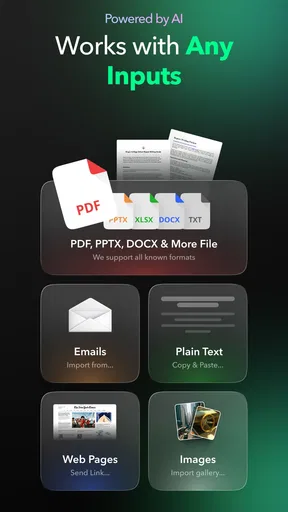
The broad support for books, articles, emails, PDFs, and documents gives the app a practical range. I could think in terms of sources rather than file types: something I found online, something someone sent me, or something I downloaded for later. That makes it easier to capture material at the moment I encounter it instead of postponing the decision.
Worth Reading Before You Choose

EA SPORTS FC Mobile 26 Is a Bigger Football Game, but It Takes Time

Flipboard Shows What News Apps Must Do Beyond the Feed

Switching to Android Auto Means Rethinking Your Driving Routine

Google Calendar Makes a Crowded Week Easier to Manage

Ludo King Makes the Most of the Minutes Between Plans

Baby Panda World Brings Quick Play to Modern Phones, but Its Game Library Feels Busy
My most useful habit was separating material by listening purpose. I treated short articles as quick sessions, longer documents as planned blocks, and important work content as something that still needed a visual pass afterward. This prevented a common mistake: assuming that because an item had been played, it had been understood or completed.
For emails, I would be selective. A message containing a clear explanation or a long project update can be a good candidate. A thread full of names, links, quoted replies, or action items is harder to follow by ear. I found it better to listen for context and then return to the original message to confirm details. That two-stage workflow is slower than pretending audio is enough, but it is safer.
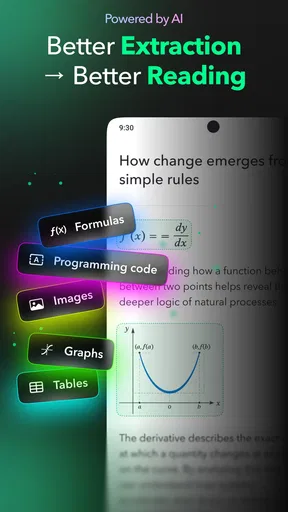
PDFs and documents need the same judgment. Text-heavy reports can be comfortable during a walk, while layouts built around columns, footnotes, charts, or references may sound disjointed. I recommend previewing the material visually before committing to a long session. The app helps with access, but the source itself determines whether the experience will be smooth.
Building a repeatable listening habit
The strongest use case I found was not occasional convenience but a repeatable routine. I chose specific moments when listening would not compete with demanding work: walking, tidying, preparing a meal, or handling simple errands. I avoided using it during tasks that required concentration, because passive listening can easily become background noise.
A useful routine begins with a clear endpoint. Rather than pressing play on an unlimited queue, I selected one article or one section of a document. Afterward, I made a quick decision: keep it, revisit it visually, or remove it. This tiny review step turned listening into an information workflow instead of another form of digital consumption.
For learning, I would listen once for structure and then read the most important passages on screen. That is one of the less obvious trade-offs with text-to-speech tools. Audio is excellent for orientation and repetition, but it is not equally good at highlighting definitions, comparing figures, or remembering exact wording. Peech is most valuable when it gives me a first pass and helps me decide what deserves deeper attention.
I also found that session length should follow the material. A short article can fit naturally into a brief walk, while a long book or report needs several planned sessions. Trying to finish everything in one go encourages fatigue and weak recall. The app supports a more realistic pattern when I treat it as a steady companion rather than a speed-reading machine.
Where Peech fits beside familiar alternatives
The usual alternative is simply reading on a phone, tablet, or computer. That remains better when formatting matters, when I need to annotate, or when I am comparing sections. Peech earns its place when my eyes and hands are occupied but my attention is still available. It is not a universal replacement for visual reading; it is a second route into the same material.
Another alternative is a dedicated audiobook service. That is usually better for professionally narrated books and polished listening experiences. Peech is more interesting for mixed personal material, especially articles, messages, PDFs, and documents that were never published as audiobooks. The trade-off is that converted text may feel more mechanical than a human narration, and the original formatting may not translate perfectly into speech.
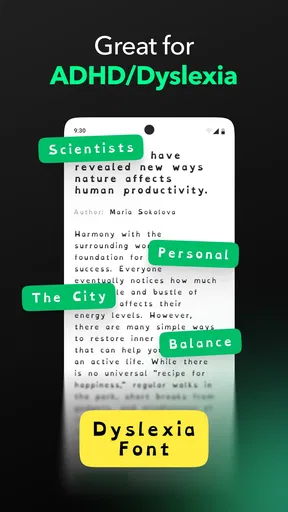
Screen readers and accessibility tools are also important comparisons. They can be the better choice for users who need system-wide reading support or more control over how every part of a device is spoken. Peech is narrower and more focused on turning selected reading material into a manageable audio workflow. I would choose based on whether I wanted a general accessibility layer or a dedicated place for listening to saved content.
The friction points I would plan around
The app’s current version is 3.1.0, and my overall impression is useful but not flawless. The biggest limitation is not the basic idea; it is the gap between text that looks clear and text that sounds clear. Headers, lists, citations, email chains, and unusual layouts can interrupt the flow. I learned to judge the source before assuming it would make a good listening session.
There is also a concentration trade-off. Listening while walking can make a backlog feel manageable, but it can encourage me to overestimate what I retained. For anything important, I would keep the original open for checking names, instructions, figures, and decisions. This is especially important with work documents where a small misunderstanding can create more effort later.
Cost is another practical consideration. The app is free to install, while in-app purchases range from $3.99 to $99.99 per item. That wide range means I would examine the purchase screen carefully before committing to a paid option and decide whether my listening habit is strong enough to justify it. Someone who only converts an occasional article may prefer to stay with the free experience, while a heavy listener may see more value in expanded access.
The public response is mixed, with an average rating of 2.7 from around 981 ratings and 190 written reviews. I would not treat that figure as a complete verdict, but it is a useful reason to test the workflow personally before building an important routine around it. The app has passed 50K installs, so it is not an entirely unknown experiment, yet its reception suggests that expectations should remain realistic rather than assuming a perfect reading conversion.
Small techniques that made the app more useful
My first practical tip is to create a “listen first, read later” rule for important material. I use audio to understand the subject and structure, then return to the source for details. This avoids both extremes: ignoring audio because it is imperfect, or trusting it with information that needs visual verification.
My second tip is to avoid sending an entire inbox into the listening queue. I would select only messages with a coherent beginning and end, and I would remove quoted history whenever possible before listening. This makes the spoken version easier to follow and prevents old replies from burying the current point.
My third tip is to match content to the environment. I reserve uncomplicated articles for walks and save technical documents for a quiet place where I can pause and check the screen. That sounds obvious, but it is the difference between using Peech as a reliable productivity aid and letting it become indistinct background audio.
A fourth useful approach is to use the app for triage rather than completion. Listening to the opening portion of a document can tell me whether it deserves a full read. I would not treat that as a shortcut for every subject, but it is valuable when the backlog contains many items with uncertain relevance. The app can help me spend visual attention more deliberately.
Who should adopt it, and who should skip it
I think Peech is a good fit for people who regularly save written material but struggle to find screen time. It is particularly appealing if your day includes predictable low-attention activities and you are comfortable switching between audio and visual reading. Students, researchers, office workers, and curious readers may all find a role for it, as long as they understand that listening is one layer of a broader system.
It is less suitable for someone who mainly needs polished narration, precise study, or complex document formatting. A dedicated audiobook platform may be better for library-style listening, while a standard reading or note-taking app may be better for annotation and close analysis. If you rarely have spare listening time, the app may simply give your backlog another place to accumulate.
The Everyone content rating makes it broadly approachable, and the minimum operating-system requirement is Android 10. That is helpful for deciding whether an older device is likely to be a practical fit. I would also remember that the product is developed by Peech and was released on March 13, 2026, so anyone evaluating it should consider the version available on their device rather than relying on impressions from an earlier release.
My recommendation after using it
Peech works best when I give it a defined job: convert selected written material into listening sessions that fit naturally into my day. It does not solve poor prioritization, replace careful reading, or make every PDF pleasant to hear. What it does offer is a useful bridge between a neglected reading queue and the limited moments when I can listen but cannot comfortably hold a screen.
I would recommend trying it if your main problem is access to reading time rather than a lack of reading material. Start with a short article and a clean, text-based document, listen in a low-risk setting, and check what you actually remember afterward. If that experiment helps you reclaim otherwise unused time, the app has earned a place in your routine. If you need exact visual control, advanced study tools, or professional narration, I would choose a more specialized alternative instead.
My final view is balanced: Peech is most effective as a carefully managed listening layer, not as a replacement for reading. Used that way, its free entry point makes experimentation easy, while the optional purchases deserve a deliberate decision. I would keep the queue small, verify important details on screen, and let the app support a sustainable productivity system rather than become another source of digital overload.
Pros
- Turns written scripts into polished videos with minimal editing effort.
- Offers automated voiceovers and subtitles for more accessible content.
- Useful for repurposing blog posts and articles into social media videos.
- Provides templates that help maintain a consistent visual style.
- Saves time for creators who lack advanced video-editing skills.
Cons
- AI narration may sound less natural than a professional voice actor.
- Customization can feel limited compared with full video-editing suites.
- Some features and export options may require a paid subscription.
- Generated visuals may not always match the script perfectly.
- Processing longer content can take time
- especially on mobile devices.
FAQs for Peech
What is Peech and what can I use it for?
Peech is a mobile application designed to help users create, edit, or enjoy short-form digital content, depending on the version and features available in their region. Before downloading, check its store description carefully because the name may refer to different services. In general, users should expect a modern interface, account-based features, and tools intended for quick, convenient use on a smartphone.
Is Peech free to download and use?
Peech may be available as a free download, but some features can require in-app purchases, a subscription, or registration. The free version may include limitations such as restricted tools, usage caps, advertisements, or branded exports. We recommend reviewing the current pricing page and App Store or Google Play listing before subscribing, especially if a free trial automatically changes into a paid plan.
Does Peech work on both Android and iPhone?
Availability depends on the specific Peech app and the country associated with your app store account. Check whether the listing is published for Android, iOS, or both before downloading. You should also compare the required operating-system version, available storage, and device compatibility. Older phones may install the app but provide a slower experience or lack access to certain newer features.
Is an account required to use Peech?
Many of Peech’s functions may require users to create an account or sign in, particularly when content, settings, projects, subscriptions, or cloud-based tools are involved. Some basic areas may be accessible without registration, but this can vary by platform and update. Before signing up, review the requested permissions and privacy policy so you understand how personal information and uploaded content may be handled.
Is Peech safe and suitable for everyone?
Peech should be downloaded only from the official Google Play Store or Apple App Store, where users can verify the developer, ratings, permissions, and recent update history. Safety also depends on how you use the service and what information you share. Parents should check the app’s age rating and privacy details, while all users should avoid uploading sensitive personal, financial, or confidential material unless they trust the platform’s policies.


